Split payments for entertainers
Split Payments for Bands & Multi-Member Acts
Bands, duos, groups and other multi-member acts shouldn’t have to manage payouts or chase money.
Now you don’t have to.
Surreal lets you split invoices, payments and compliance (taxes, Super) across every member of your act, automatically.
What This Unlocks
- Each member gets paid directly
- Each member gets their own invoice per performance
- Tax and compliance are handled per individual
This includes:
- GST / VAT → calculated per member
- Withholding Tax (WHT) → per member (New Zealand only)
- Superannuation → paid per member (Australia only)
No more collecting money, splitting manually, or guessing obligations.
How It Works Summary
NOTE: Entertainer Profile must be set up as a band, group or duo; solo profiles don't have this capability
- Entertainers enable 'Split Fees' (via their 'Lineup' page or settings)
- Entertainers add their band/act members to the profile (via new Lineup section in the top menu bar)
- Instructions below in 'How To'
- Set your default fee splits per member (these will be saved for future gigs; can be changed)
- Get booked as usual through your main profile
- Confirm lineup and splits per gig as the gigs come through
From there:
- Surreal generates individual member invoices
- Venues and agents pay as usual
- Payments are automatically split and distributed to each member per your splits
- Compliance obligations handled per individual member
- WHT in NZ
- Superannuation in AUS
No Change for Venues or Agents
Venues and agents continue to:
- Book the main entertainer profile
- Receive the same booking and invoicing flow
Behind the scenes, everything is handled per member:
- Invoicing
- Payment distribution
- Tax calculations
- Compliance obligations
ℹ️ How to Set Up Split Payments
1. Enable 'Split Fees' via your 'Lineup' screen (or entertainer settings)
Head to the lineup screen OR entertainer profile (band, duo or group) settings and enable 'Split Fees'
- This is 'Split Fees & Superannuation' for Australian acts, then just 'Split fees' for other geographies

2. Add Your Members
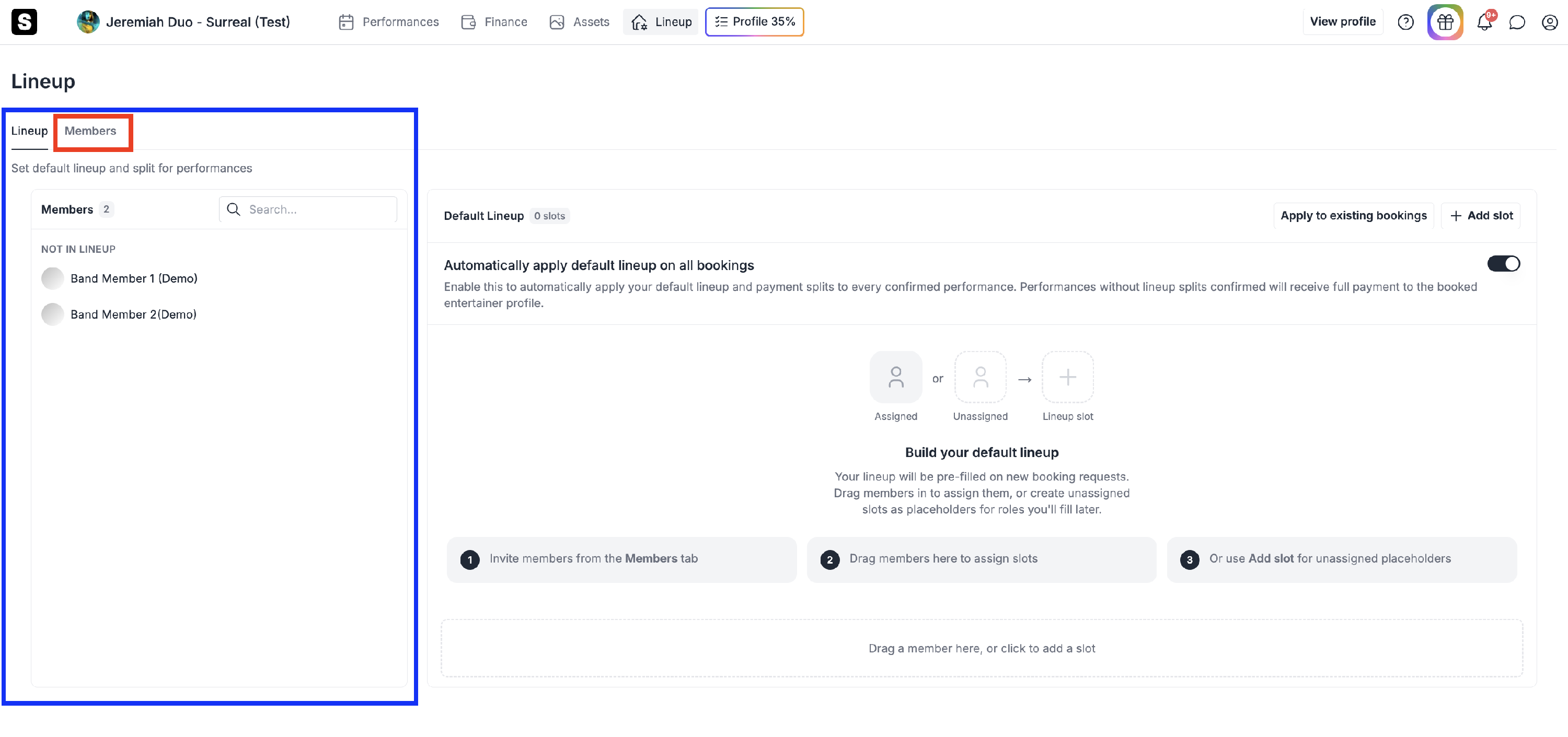
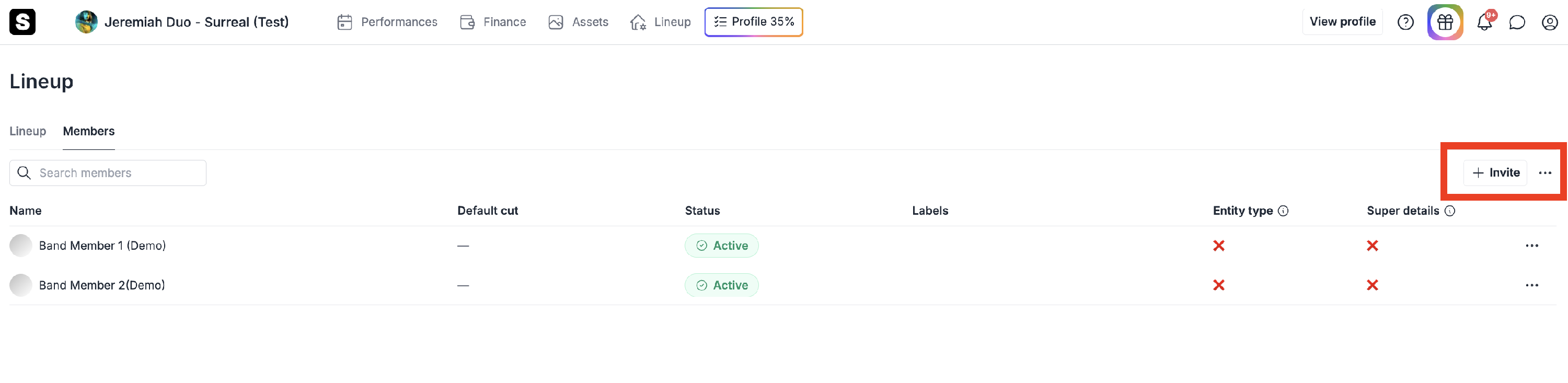
Add/invite members to your act lineup via the 'Members' tab
- Navigate to Members
- Click “+ Invite”
- Share the invite link with your band or fill-ins
- If individual member entertainer profiles already exist and need to be linked to the main profile being booked, you can either search for the entertainer’s profile and link it manually, or select it directly when accessing the invite link


Each member enters:
- Bank details
- Tax setup (WHT in NZ, if applicable)
- Super details (Australia only)
Note: If you're setting up the main bookable band/act profile that venues/agents will book in on the system, you will need to create two profiles:
- The first being the main bookable band profile that's booked by the venues and agents, i.e. Acoustic Autograph Band.
- Secondly, you have to create an additional individual profile for yourself that links to this main profile (i.e. Tim Smith). This can be done by clicking the "Entertainer unique invite link" via your members page (via lineup), where you should then create an individual profile for yourself as an individual member using the "Create a new entertainer profile" option (i.e. like the other members have done).
3. Set Your Default Lineup
- Drag and drop members into your lineup
- Assign each member a % share
- Once you have set up your default lineup, click "Apply to existing bookings" to update the split fees for any existing bookings not yet invoiced (past and upcoming)
This becomes your default split for all bookings. You can choose not to set-up a default lineup instead, but will manually have to confirm the members and split %'s per performance

4. Adjust Per Booking
When you receive an offer:
- Your lineup will appear automatically
- You can edit members and fee splits before confirming
- You can edit the lineup and fee splits at any point up until invoicing via the extended menu via for your performance via the "Performances" or "Payments" screens


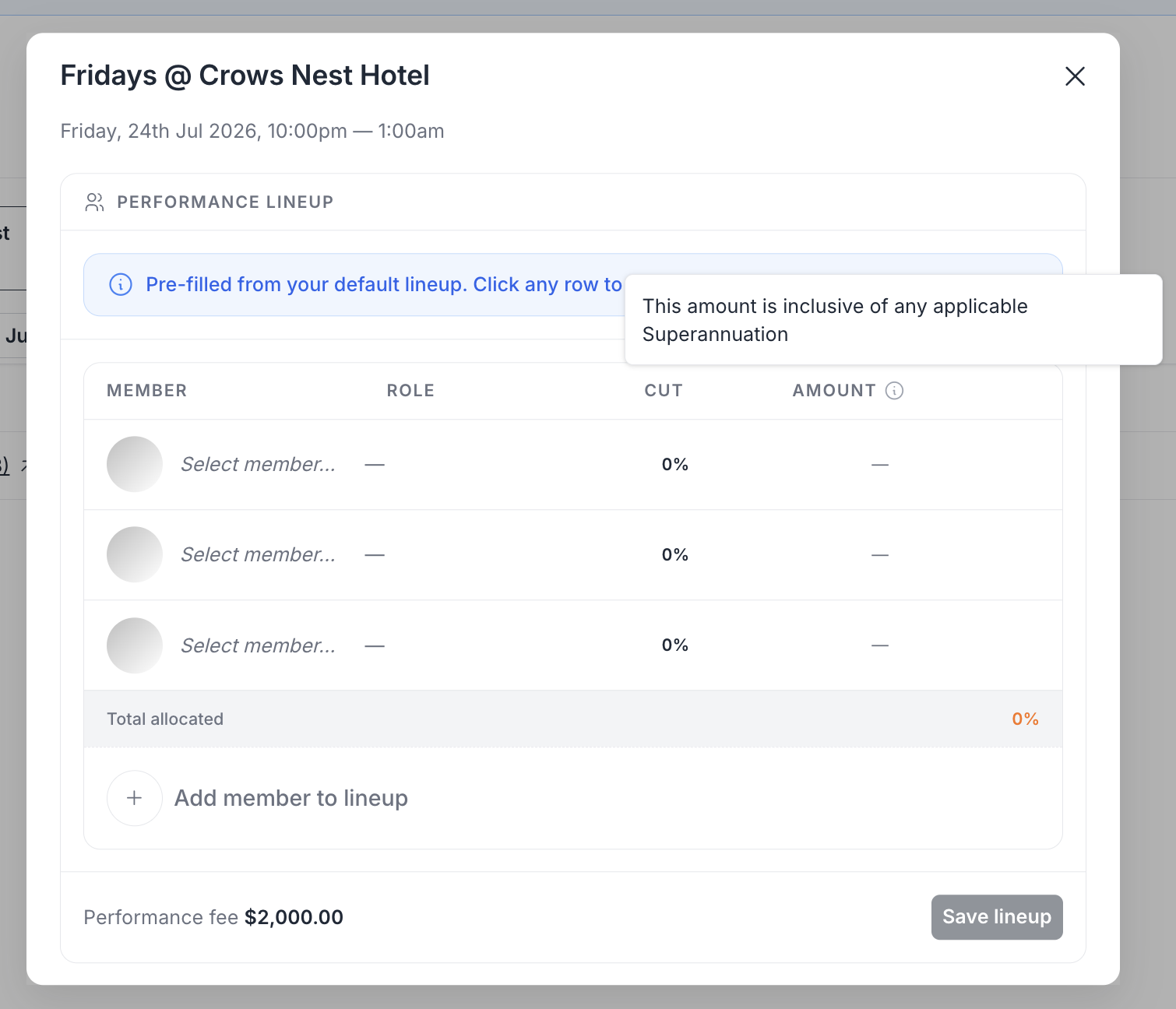
Incomplete lineups / performance unable to be invoiced
If you have not fully allocated your lineup, then your performances and payments screen will show this warning icon and message below.
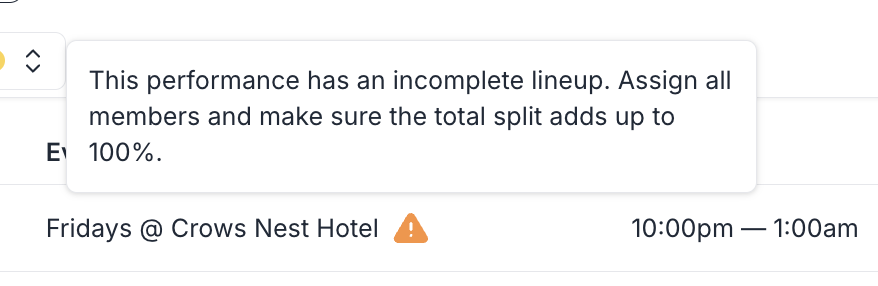
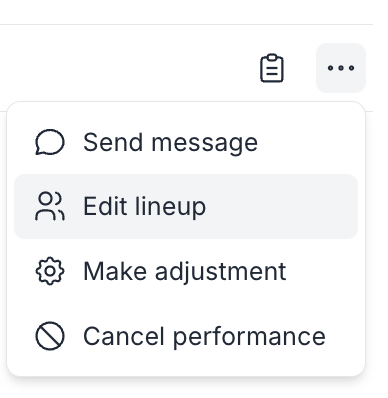
To address this, please click the extended menu on the far right of the performance (3 dots), then click "edit lineup", where you can then confirm the fee splits between the involved members.
What Happens After a Gig
Once a performance is completed and invoiced:
For each confirmed member:
- A supplier invoice is generated
- GST / VAT is calculated
- WHT is applied (New Zealand only)
- Superannuation is calculated - if applicable (Australia only)

Payments
After the venue or agent pays Surreal:
- Payments are distributed directly to each member
- Each member receives a notification and payment reference
Country-Specific Handling
New Zealand 🇳🇿
- WHT is calculated per member
- Venues pay WHT directly to the IRD
Australia 🇦🇺
- Superannuation is paid into each member’s fund
- Quarterly contributions until June 2026
- Payday Super contributions from July 2026
Australia-Specific Considerations 🇦🇺
Sometimes, payments cannot be split to band and multi-member acts in Australia.
This is always due to the Superannuation setup of the party booking you (venue or agent).
Please see below:
-
If a venue or agent has opted in for Superannuation for all bookings, including bands/multi-member acts:
→ Payments are split and Super is paid to each member’s fund
-
If a venue or agent has opted in for Superannuation, but not for bands/multi-member acts:
→ Payments will be made in full to the main band profile (no split payments for that booking)
-
If a venue or agent is not opted in for Superannuation at all:
→ Payments can still be split between members, but no Super contributions will be made
⚠️ Want to Limit the Information Your Band Members See?
When setting up your band or act's split payments, it's important not to confuse "Entertainer Members" with "Lineup Members," as they serve very different purposes.
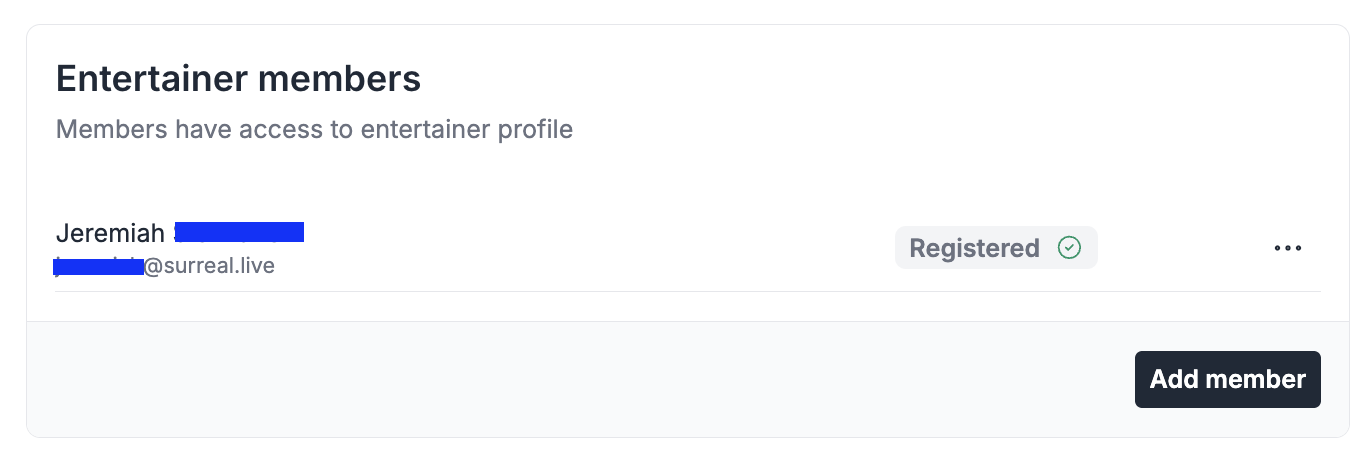
Entertainer Member
Adding someone as an Entertainer Member (done via your entertainer profile's Settings) gives that person full access to the entire band/duo/group profile, including all performances, finances, invoicing and account details — the same level of access you have yourself. This should be reserved only for whoever manages the account, such as a band leader or manager.
"Member" (Line-up Member)
By contrast, adding someone to your Lineup as a Member (via the Lineup section) is what's used for split payments, and only gives that person visibility of their own individual details, such as their own invoice, fee split and payment status, with no access to the rest of the account or other members' information.
If you simply want each band or act member to see their own splits without giving them broader access to the profile, add them via the Lineup, not as an Entertainer Member.